
Mycelarium Lag: Fixes for Late-Game Performance
Why Mycelarium slows down late in a run, which entities cost the most, and the practical fixes that keep a large network playable.
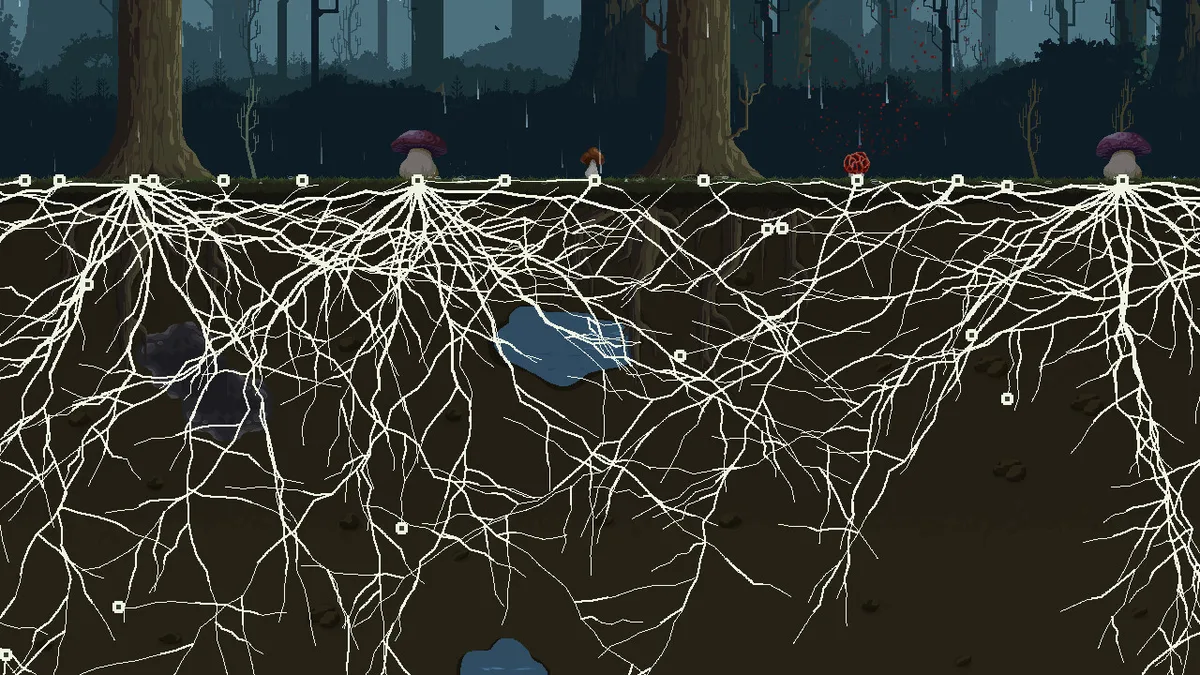
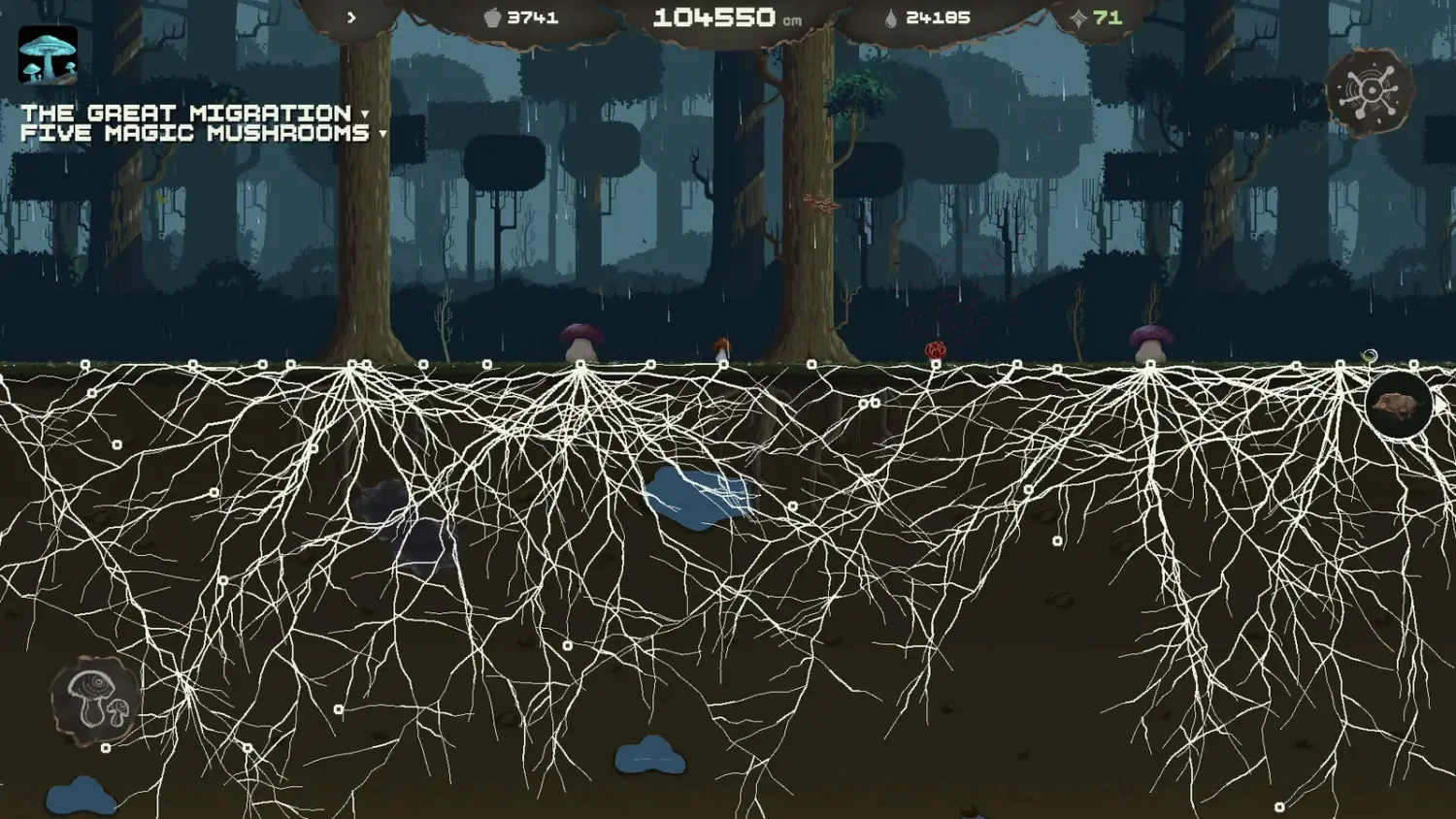
Mycelarium is a small game with a large late-game network. Players report frame drops once the mycelium covers most of the surface, especially with many Stinky Mushrooms and particle effects on screen. Update 1.02 included a performance pass, but the fundamental cost is the size and density of the colony.
This page separates confirmed fixes from community workarounds, so you know what is likely to help and what is still a guess.
What causes late-game lag?
The game simulates every node, mushroom and animal on a continuous map. As the network grows, three costs rise together:
- Node count. Every centimetre adds nodes, and every node is part of the simulation.
- Mushroom effects. Stinky Mushrooms have an area effect; many overlapping radii are more expensive than many single mushrooms.
- Visual effects. Spore puffs, glowing shrooms and animal particles add draw cost on top of the simulation.
The first is unavoidable if you want a large colony. The second and third are choices, which is why the practical fixes focus on them.
What did 1.02 change?
The 1.02 notes list performance optimisation as part of the update, alongside achievements and the two game modes. It did not promise a specific frame-rate target, and it did not remove the cost of a large network.
If you are still on a pre-1.02 build, updating is the first thing to try. If you are already on 1.02 and the lag persists, the cause is scale rather than a missing patch.
What can you do about it?
The fixes that are safe to recommend:
- Reduce mushroom density. Replace overlapping Stinky Mushrooms with one upgraded Stench Width. Fewer area effects, same coverage.
- Zoom out less. A wider view draws more of the network at once. Playing slightly zoomed in reduces the visible load.
- Close background apps. The game is light on CPU but shares the GPU with browsers and video.
- Lower the resolution or window size. If the frame drop is GPU-bound, fewer pixels helps. The game has no confirmed quality preset, so this is a system-level change.
- Clear the map of unused structures. A mushroom that no longer serves a purpose still costs simulation time.
There is no confirmed "disable particles" option in the build. If your version exposes one, use it; do not assume it exists.
The cheapest performance upgrade is not a setting; it is consolidation. One Stinky with Stench Width does the work of three base Stinkies and costs a third of the simulation.
Is 4K supported?
Players have requested better 4K support and UI scaling. The store page does not list 4K as a feature, and the screenshots are 1920×1080. If you play at 4K, expect the UI to be small and the GPU load to be high; running at 1440p or 1080p is the practical workaround until a patch adds scaling.
Does the mode affect performance?
Survival Mode tends to produce smaller networks because the balance is tighter, which can mean fewer entities and better frame rates. That is a side effect, not a reason to pick the mode. Exploration with a disciplined network performs fine.
When is lag actually a bug?
A steady decline as the network grows is scale. A sudden freeze, a crash, or a frame drop that persists after reloading a small save is a bug. In that case:
- Note the patch version and the save size.
- Check whether the drop happens near a specific mushroom or animal.
- Report it in the Steam discussions with the save and a screenshot.
The developers shipped a quick fix on release day and a larger 1.02 patch two days later, so bug reports are being read.
What specs do you need?
The store lists Windows 7 64-bit, an Intel Core 2 Duo at 2.4 GHz, 2 GB RAM and a GTX 650 Ti or HD 7790, with 700 MB of disk. Those are the minimums for the game to run, not for a million-centimetre colony. A modern integrated GPU handles the early game; a large network benefits from a dedicated card.
The system requirements page→ has the full table and the demo note.
FAQ
Is Mycelarium badly optimised?
It runs well for its scale, but a very large network is inherently heavier than a small one. The 1.02 pass improved things without changing that.
Does the game have a quality settings menu?
No confirmed graphics preset is documented. Resolution and window size are the reliable levers.
Why does the game slow down near Stinky Mushrooms?
They apply an area effect continuously. Overlapping radii multiply the work. Consolidate and upgrade Stench Width instead.
Does the demo perform better?
The demo is a smaller build with less content. It is not a good benchmark for a full late-game colony.
Official source: Mycelarium on Steam ↗ Official source: Update 1.02 notes ↗
The Steam discussions hub ↗ is where players report frame-rate issues and workarounds; the achievement page ↗ is a rough proxy for how many runs reach the network sizes where lag appears.