
Mycelarium Beginner Guide: Your First Network
Start Mycelarium with a stable food and water loop, the right first upgrades and a network that survives its first animal visit.
Mycelarium asks you to do one thing well: grow a fungal network without starving it. Every centimetre you add costs water, every new node and mushroom costs food, and the length you accumulate becomes the experience that unlocks upgrades. A beginner should spend the first hour widening a safe surface network, finding a water pocket, and only then pushing into the dark.
The game is an incremental exploration sim from PLAN KAPKAN, released on 3 November 2026 for PC. There is no hard fail state, so a slow start is recoverable. A confused start is not: players who spread thin before they understand the two currencies spend an hour walking back a network they cannot feed.
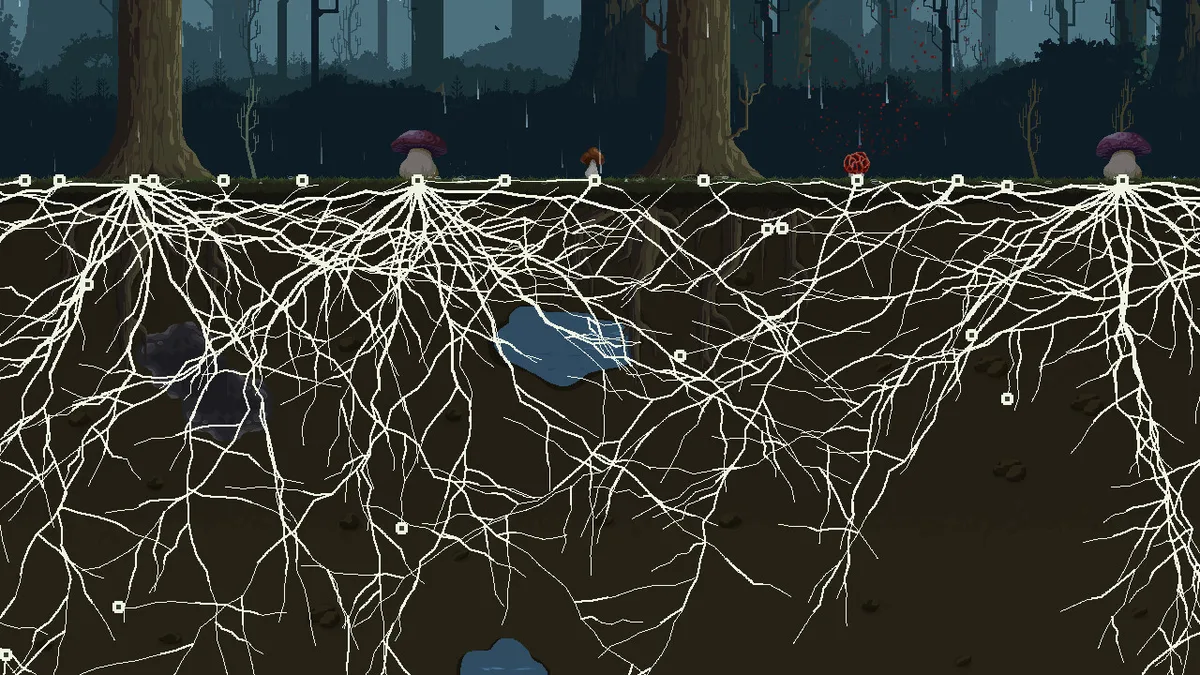
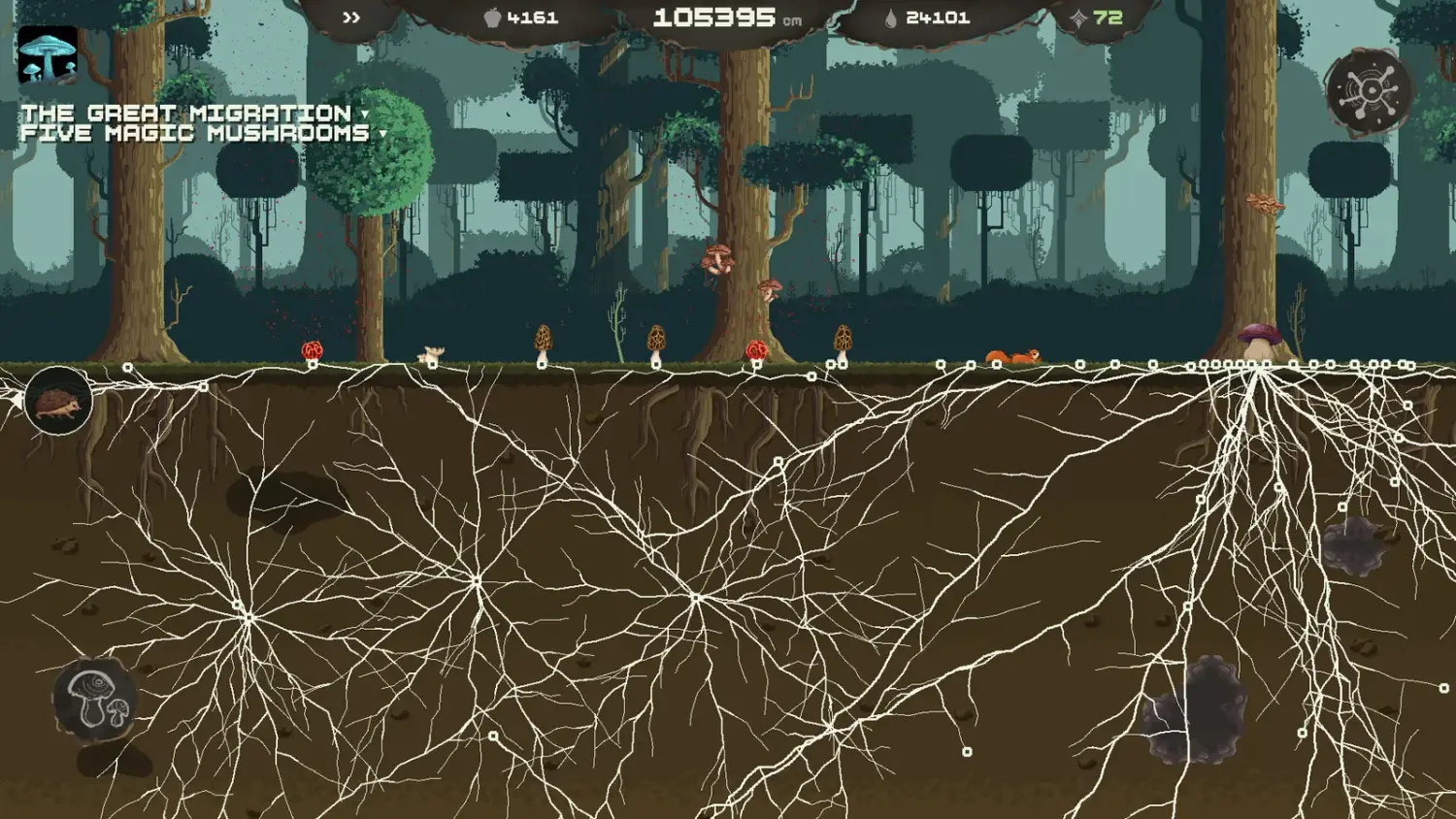
What are you actually trying to do?
Grow. The HUD tracks four numbers: food (the mushroom icon), total length in centimetres, water (the droplet), and upgrade points (the diamond). The quest panel on the left holds long-term goals such as THE GREAT MIGRATION and FIVE MAGIC MUSHROOMS. The radial menu on the right builds mushrooms, and the upgrades screen spends points on permanent improvements.
Length is both score and experience. Community reports and the achievement list agree that growing raises your point income; the five growth achievements run from 1,000 cm to 1,000,000 cm. That makes expansion the engine of the whole run, not a side activity.
The first twenty minutes, in order
- Grow a short, thick network around the starting mushroom. Do not sprint toward the horizon.
- Follow the food. Early nodes need food, and the first reliable source is the small food pockets on the surface.
- When a water pool appears, connect it before you extend further. Water is the cost of every centimetre.
- Take the cheap utility upgrades first: shot range and water efficiency. Both reduce the friction of everything that follows.
- Build your first Predator Mushroom once food income stalls, then keep growing.
The aim line tells you the price before you commit. A typical reading looks like 162 cm -17 WATER, meaning the shot adds 162 cm and spends 17 water. Longer shots are not automatically better value; the ratio is what matters, and water efficiency improves it.
Food is the brake, water is the accelerator
New players usually treat food and water as the same resource. They are not. Water is spent continuously as you grow, so a full water bar is permission to expand. Food is spent on structure, so an empty food bar stops new nodes and mushrooms even if you have water to spare.
That is why a famine feels like a wall. The network is fine, the water is fine, but nothing new can be placed. The fix is to add a food source rather than to keep clicking: an Absorption node converts decaying leaves into food, a Predator Mushroom produces it directly, and later a Consumptor turns whole trees into a supply. The food guide→ compares those sources by phase.
Players report that expansion costs no water while it rains. When the weather turns, spend the window on distance rather than on saving up. The free window is the cheapest way to reach a new water pocket.
Which upgrades come first?
Prioritise upgrades that improve the exchange rate, not the ones that add a new toy:
- Shot range reduces the number of clicks needed to cross ground.
- Water efficiency lowers the water cost per centimetre.
- Absorber turns leaf litter into a slow but safe food trickle.
- Soil penetration unlocks the layers below the surface.
- Node efficiency matters once your network is large and the per-node cost is visible.
Mushroom-specific branches such as Predator Yield or Water Yield are multipliers on a system you already own. Buy them after the system exists, not before. The upgrade priority guide→ has the full order with reasoning.
Should you explore underground early?
Yes, but only with a return path. The first underground layer, Brown Dirt, hides water reservoirs and the first magic shrooms. The catch is hard soil and stone: without Soil Penetration your network cannot cross it, and without a nearby water source the detour can drain you.
A safe pattern is to reach the first layer with a surface network that already produces food, then send one branch down. If the branch finds a pool, connect it and treat the pool as a forward base. If it finds stone, stop and upgrade penetration before spending more water on dead ends.
What should you ignore at the start?
- Do not build every mushroom the radial menu offers. Eight mushrooms exist, and each one is a maintenance cost before it is a benefit.
- Do not chase the five magic shrooms before you can feed a deep branch.
- Do not spend points on a mushroom branch you have not built.
- Do not play Survival Mode as your first run. It removes the evolution tasks and tightens the balance, which is the wrong way to learn the systems.
FAQ
How long is a first playthrough?
Player reports range from roughly twenty minutes for a focused run to three hours for a relaxed one. The difference is how much you explore and how many mushrooms you maintain.
Does Mycelarium have a fail state?
No. The store page describes a calm forest with no hard fail state. A starved network stalls, but it does not delete your run.
What is the first mushroom I should build?
A Predator Mushroom, because it converts the food problem into a production loop. Build it near the part of the network that is already busy, not at the frontier where animals roam.
Is the demo worth playing first?
Yes. The demo received a 2.0 update on 30 October 2026 with a save system, and progress systems carry over conceptually even though the demo is a separate build.
Official source: Mycelarium on Steam ↗ Official source: Update 1.02 notes ↗
The Steam discussions hub ↗ is where players compare early-game food routes, and the achievement page ↗ shows how few runs reach the million-centimetre milestone.