
Mycelarium Controls: Mouse, Camera and Hotkeys
Every Mycelarium control in one place: click-to-grow, slingshot aiming, camera pan and zoom, the radial menu and the 1–8 hotkeys.
Mycelarium controls are simple on paper: click a node to grow from it, drag to aim a longer shot, wheel to zoom, drag the world to pan. The complications are the radial menu, the mushroom hotkeys added in update 1.02, and the camera limits that annoy players on large networks. This page collects what is confirmed in the build and what is still a request.
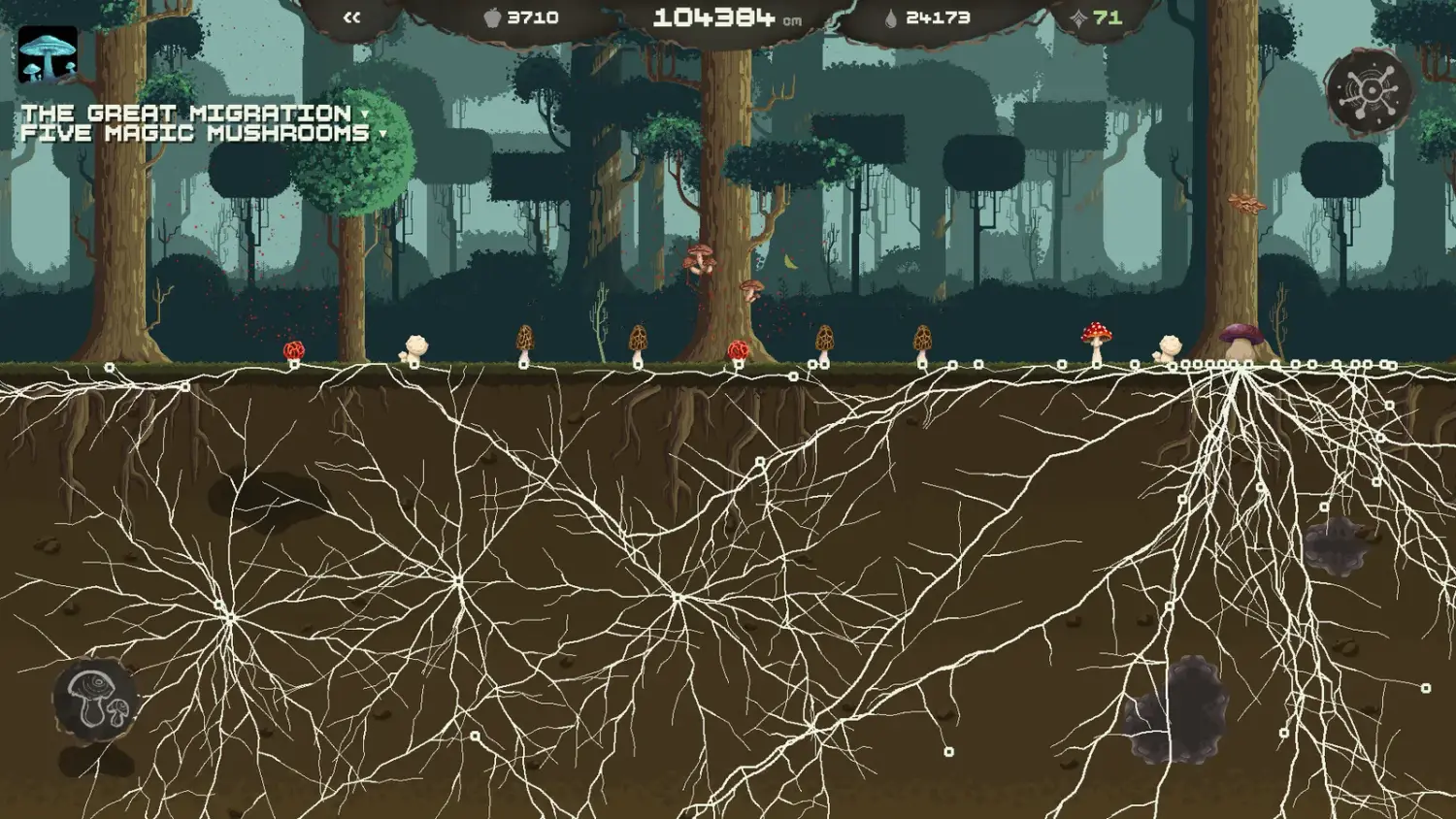
The game never hides the basics. The upgrades screen prints DRAG TO PAN / WHEEL TO ZOOM / CLICK A NODE TO GROW IT along the bottom, and the radial menu on the right shows the eight buildable mushrooms in a ring. Once you know those three verbs, the rest is timing.
How do you grow mycelium?
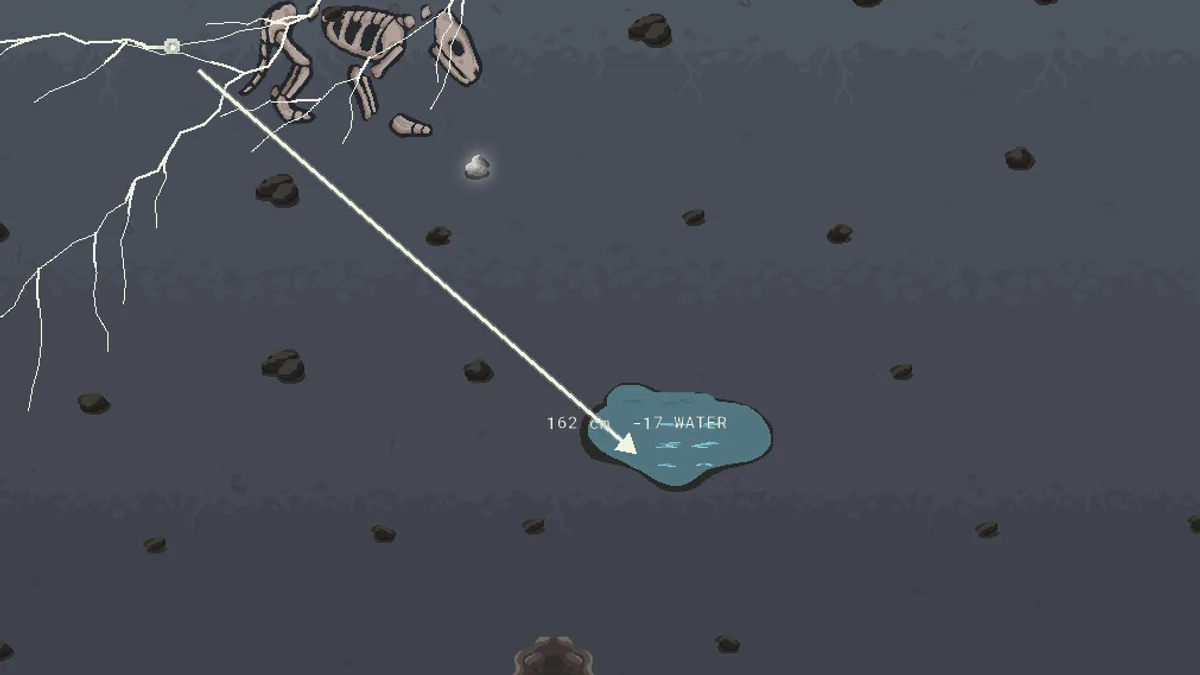
Click a node on your existing network, then drag toward the direction you want to extend. The shot previews its length and water cost as X cm -Y WATER. Release to commit. The network grows along the line, adding nodes as it goes.
This is the slingshot the store page mentions. A short click grows a short distance; a long drag grows farther and costs more. The preview is the only price tag you get, so watch the ratio: a 250 cm shot for 13 water is a better deal than 162 cm for 17 water, and water efficiency shifts that ratio over time.
Growth is blocked by hard soil and stone. If the preview stops early, the obstacle is in the way, not the mouse. Soil Penetration is the upgrade that lets you cross harder ground, and the growth mechanics page→ explains the rest of the cost model.
How do you move the camera?
- Pan: drag empty space. Dragging from a node starts a growth shot instead, so grab the background.
- Zoom: mouse wheel. Zooming out helps on a wide surface network; zooming in helps place mushrooms precisely.
- Recentre: the upgrades screen has a
RECENTREbutton, and the radial menu has a camera control. Use it when a long growth shot leaves you staring at dirt. - Animal tracker: click an animal icon on the edge of the screen to jump the camera to that animal. Update 1.02 added this, and it is the fastest way to check what is chewing on a mushroom.
There is no confirmed middle-mouse or right-mouse pan. Players have asked for both, and older builds showed an aiming offset bug, so treat any third-party advice about alternate mouse bindings as unverified.
On a large network, the cheapest way to waste water is to aim from the wrong node because the camera drifted. Pan first, pick the node, then drag. The preview updates live, so you can abort by returning the cursor to the node before releasing.
What does the radial menu do?
The ring on the right side of the screen is the build menu. It holds eight mushrooms: Predator, Water, Stinky, Repeller, Digger, Consumptor, Spore and Experience. Hovering an icon shows its cost and role; clicking places it on a valid node.
The menu is also a status board. Greyed icons mean you cannot afford the mushroom or have not unlocked its branch in the upgrade tree. The mushroom types guide→ covers what each one does and where it belongs.
What are the 1–8 mushroom shortcuts?
Update 1.02 added Mushroom Shortcuts 1-8. The eight slots map to the eight mushrooms in the radial menu, so you can build without moving the cursor to the ring. The numbering follows the menu order, not the order you unlock them.
If a number does nothing, the mushroom is locked or unaffordable. There is no rebinding menu in the build as of 1.02; the shortcuts are fixed. Players have requested custom binds, but nothing in the patch notes confirms them.
Which keys are not explained in game?
Two useful keys are easy to miss:
- F toggles the Cosmos Shroom glow. The purple magic shroom makes the network luminous, which is atmospheric but can wash out the screen in a dark room.
- Escape closes the upgrades screen and the radial menu. It does not pause the simulation.
The game has no confirmed pause key. If you need to stop, the safest method is to leave the window; the simulation is not turn-based, so plan around it rather than looking for a pause button.
Why does aiming feel off sometimes?
Early builds had reports of growth landing beside the cursor, especially after a camera pan. The 1.02 performance and bug-fix pass did not list aiming in its notes, so the behaviour may still depend on zoom level. Two habits reduce the problem:
- Zoom in before a precise shot near stone or a water pool.
- Aim from a node near the centre of the screen rather than the edge.
If a shot lands somewhere you did not intend, the water is still spent. There is no undo. Treat every long shot as a commitment and use short corrections instead of one heroic drag.
FAQ
Can I rebind the controls?
No rebinding menu is confirmed as of update 1.02. The mouse verbs and the 1–8 shortcuts are fixed.
How do I pan without growing?
Drag the background, not a node. If the cursor is over a node, the game treats the drag as a growth shot.
Why can't I build a mushroom from the radial menu?
The icon is locked or unaffordable. Check the upgrade tree for its branch and the food counter for the cost.
What does F do?
It toggles the glow produced by the Cosmos Shroom. It does not affect gameplay.
Official source: Mycelarium on Steam ↗ Official source: Update 1.02 notes ↗
Player reports on camera feel and aiming offsets are collected in the Steam discussions hub ↗; the achievement page ↗ is useful for checking which movement-related milestones exist.